How to organize and deliver your work
Once your customer experience lives in TheyDo, a practical question comes up: how do you get the right part of it in front of the right people? A product manager, a support lead, and an executive rarely want the same view. But they should all be working from the same facts, just presented in whatever form fits the job at hand.
Four capabilities handle this: frameworks, views, Collections, and Docs. Together they help you organize your work and get experience intelligence to the rest of the business without retelling the whole story every time. This article introduces each one and shows how they connect. Every capability also has its own how-to guide, so treat this page as your map.
One source of truth, different audiences
Everything you build in TheyDo, journeys, insights, opportunities, solutions, and metrics, lives in one connected context graph. You don't copy or recreate it to share it. You reframe it.
- Want to see how dozens of journeys fit together? Use a framework.
- Need a focused slice for one question or one team? Create and save a view.
- Pulling related work together for an initiative or a group of stakeholders? Build a Collection.
- Telling the story to people who'll never open the tool? Write a Doc.
Same underlying model, four ways to deliver it. Here's each one.
Frameworks: organize journeys at scale
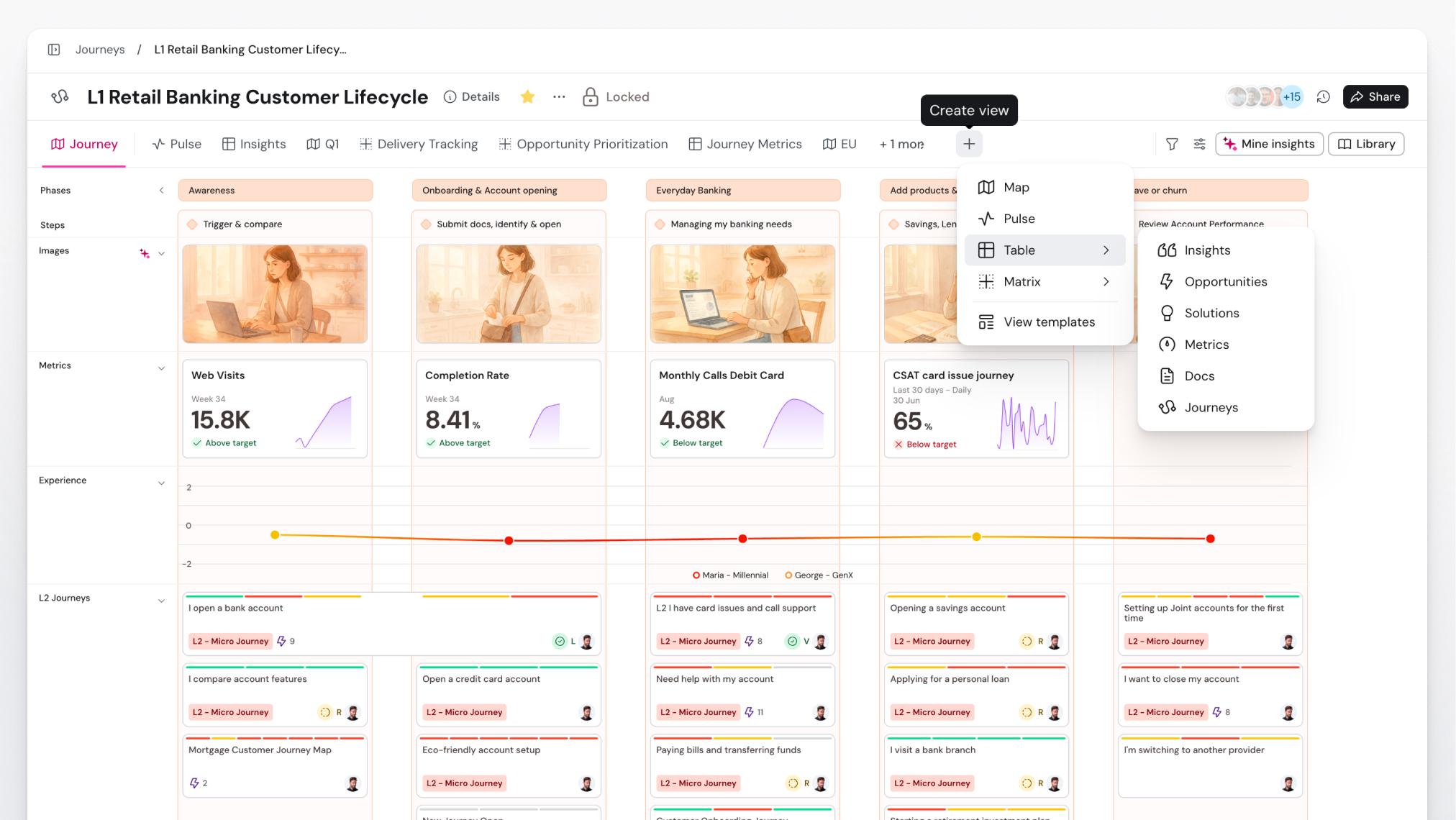
A journey framework is the hierarchy that organizes every journey in your workspace, from high-level lifecycle stages down to the detailed ones. As your journey portfolio grows, it's the map that keeps everyone oriented.
A single journey rarely tells the whole story. Most organizations end up with many journeys that relate to each other, and without some structure they pile into a long, flat list nobody can navigate. A framework fixes that. You can zoom out to see the whole landscape or into one specific journey without losing your bearings, and every stakeholder gets the same overview of how the work is organized.
Views: focused slices for a specific question
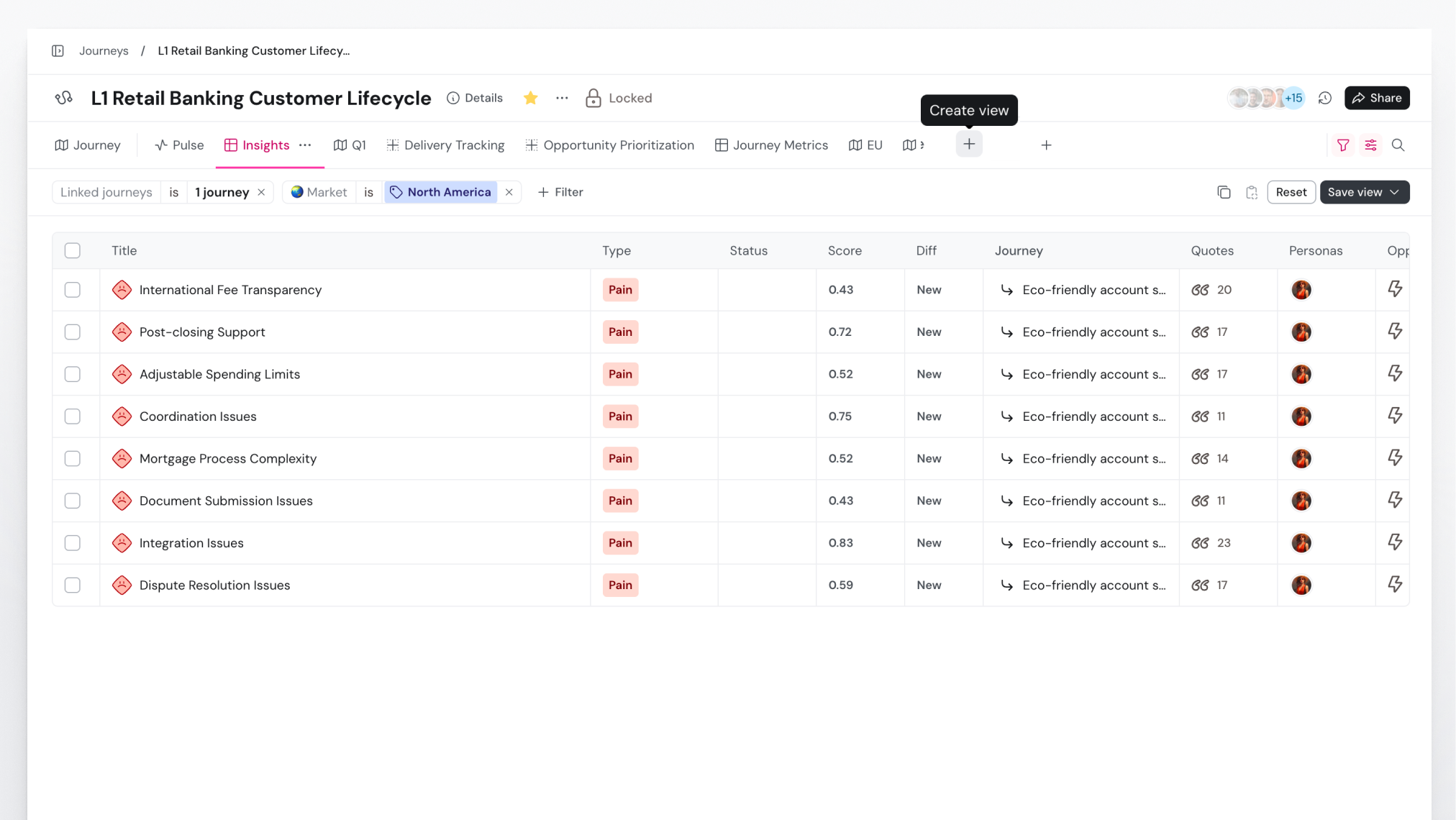
A view is a saved filter. Instead of showing everything at once, it shows a focused slice: insights tagged as pains, high-priority opportunities owned by one team, or solutions in progress this quarter. Save that filter as a view and it's ready whenever you need it again.
Views let you answer a specific question, or serve a specific audience, without touching the underlying data. The support lead has theirs, the product manager has theirs, and both are reading from the same source of truth. Saving the view means the slice they need is one click away next time, rather than something they rebuild by hand.
Collections: curate work around a theme
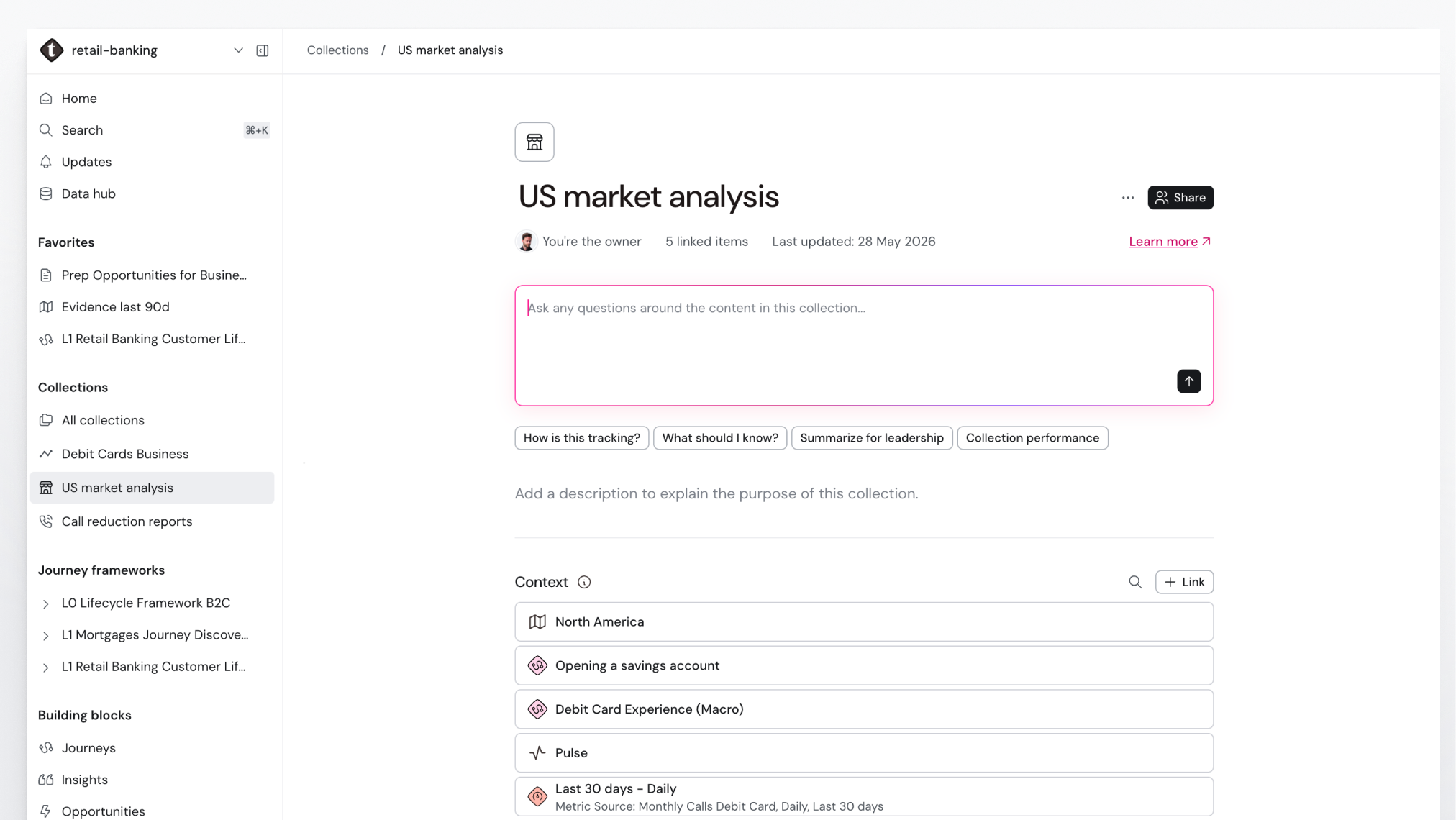
A Collection is a curated set of journeys, building blocks, and views grouped around a theme, such as a program, an initiative, or a stakeholder group. A framework organizes journeys by structure. A Collection is looser: it lets you pull together related context wherever it lives in the workspace. You can add anything from the workspace to a Collection, from a single building block to a view you saved earlier.
When you're briefing a leadership group or running an initiative, gather exactly the journeys, opportunities, and views that matter to them and share that set, all without reorganizing anything underneath. Instead of sending someone the whole library, you hand them the shortlist.
Docs: tell the story in narrative form
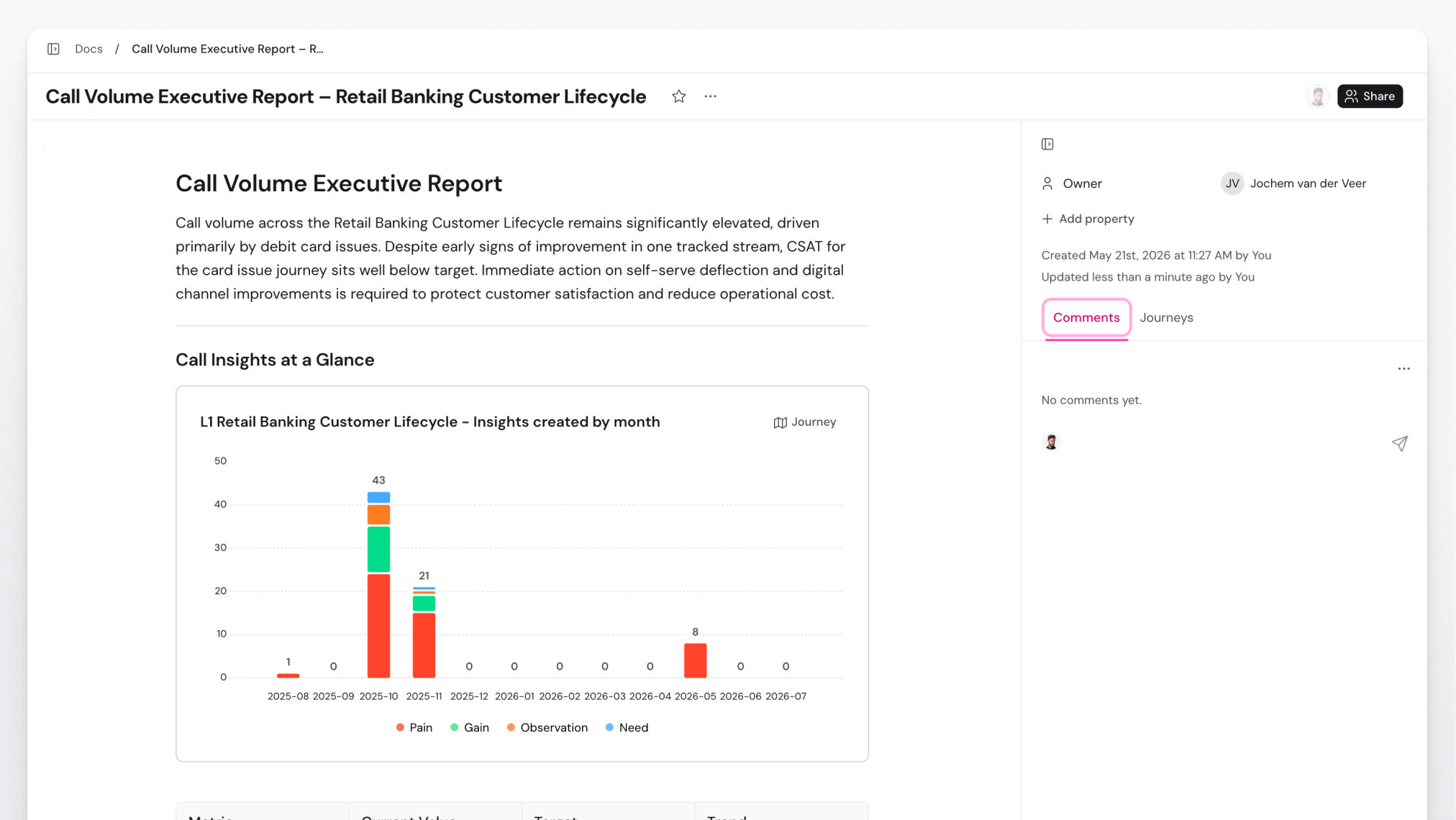
A Doc is a rich-text page that lives inside TheyDo. It's where the model becomes a narrative: a research summary, a project brief, an executive update, a set of meeting notes. And it stays connected to the journeys and building blocks it draws on.
Docs reach the people who'll never open a journey map. You can generate one straight from your journey data with Ask TheyDo, then share or export it, so what lands on a stakeholder's desk is grounded in the same evidence as everything else. It isn't a side document that goes stale the day you finish it. That link back to the live model is what keeps your reporting traceable.
How they fit together
In practice, these stack. A framework gives your journeys a shape you can navigate. A view narrows any part of it to what a team cares about. A Collection bundles the right journeys, views, and building blocks for an initiative or an audience. A Doc turns any of that into something you can put in front of leadership.
Between them, one connected model becomes intelligence the whole business can use, with every team seeing the same truth in whatever form actually helps them.