Skills best practices
Skills let you save a process once and have the TheyDo Agent run it the same way every time. The mechanics are simple, so the difference between a skills library your team relies on and one nobody opens comes down to judgement: which tasks you turn into skills, how narrowly you scope each one, and how you hand them to other people. This article is for anyone building skills for a team, and it assumes you already know how to create and run one.
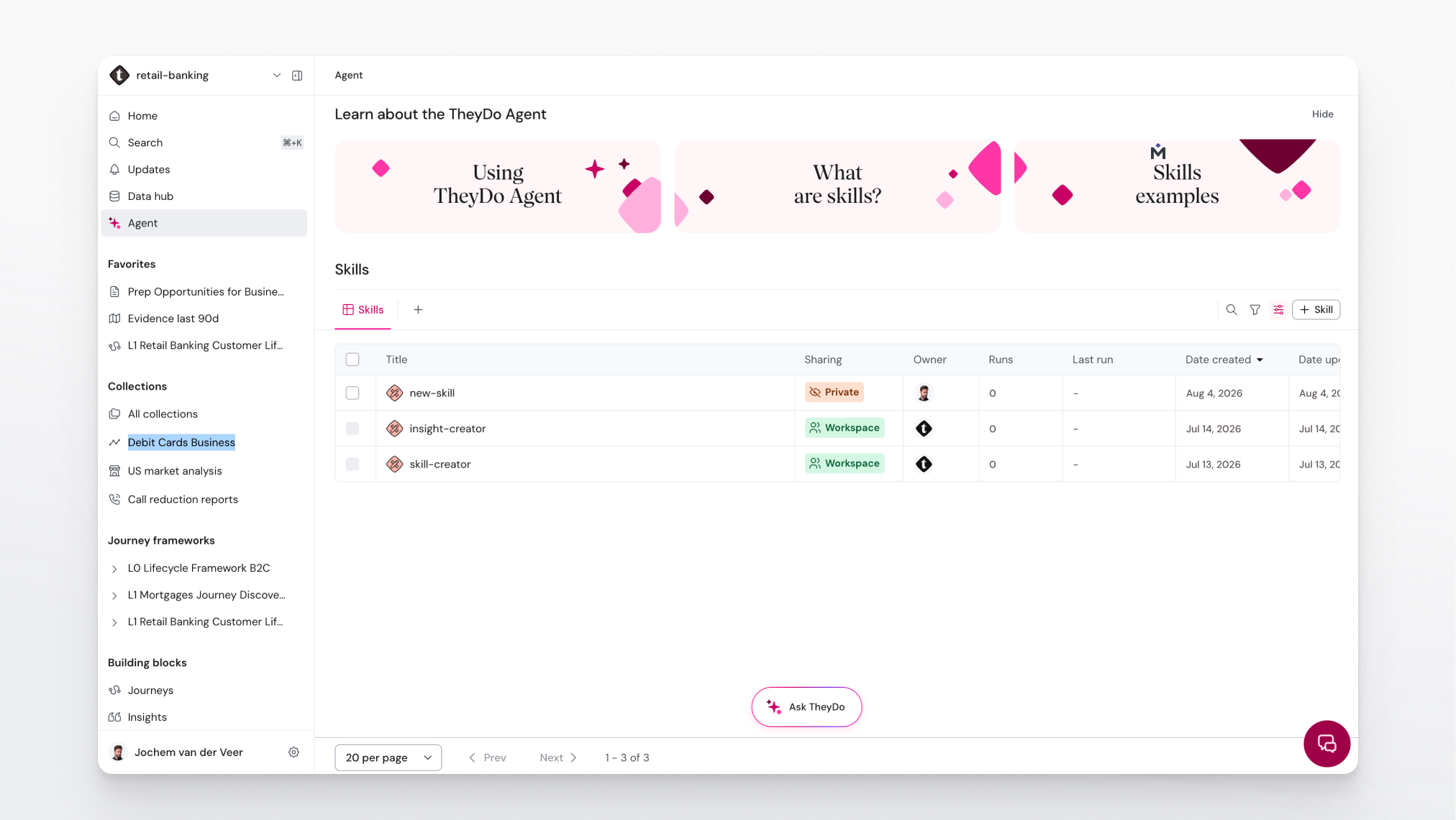
Note: Skills require the TheyDo Agent to be enabled for your workspace. See What are skills in the TheyDo Agent? for the basics.
One skill, one specific task
The most common mistake is making a skill too big. A skill that "handles reporting" has to guess what you want every time, and its instructions grow into a document nobody maintains. A skill that "writes the weekly executive summary for a journey in our five-part structure" does one thing, and does it identically on every run.
Scope each skill to a single task with a recognisable output. If you cannot describe what a skill produces in one sentence, it is probably two skills.
The payoff of keeping skills small is that they compose. Skills can reference other skills, so a bigger workflow becomes a chain of pieces your team already trusts: mine the insights, apply your tagging conventions, then produce the summary. Each step stays testable on its own, and you can fix one link without touching the rest.
Start with your most repeatable tasks
Not every task deserves a skill. The ones that earn their keep are repeatable and have a right answer your team cares about. Work through your own week and rank candidates on three questions:
- How often does this come back? Weekly beats quarterly. A task you do twice a year will be out of date by the time you run the skill again.
- Is there a right way to do it? If the output should follow a fixed structure, tone, or naming convention, a skill locks that in. If every instance is genuinely different, chat is the better tool.
- Does it currently live in one person's head? The more the quality depends on one specific colleague being available, the more value there is in writing it down.
Good early candidates usually look like this:
- A recurring report or summary that always follows the same structure.
- Processing a new research source: how it gets mined, tagged, and linked in your workspace.
- A review checklist you run before a stakeholder readout.
- Your conventions for writing insights, opportunities, or solutions, applied consistently.
Tip: The clearest signal is repetition in your own chat history. If you have pasted roughly the same instructions to the Agent twice, save them as a skill the second time.
Build it for yourself, then hand it over
Start with a task you do yourself, because you can tell immediately whether the output is right. Get it working for you first, then make it usable by other people. That second step is where most of the value is: a skill you run alone saves you time, while a skill your team runs raises everyone's output to the standard of whoever wrote it.
To make a skill safe to hand over:
- State what the skill expects as input, for example a journey with a populated insights lane, or a transcript uploaded to the Data Hub.
- Describe the output in specifics, not intent. "A five-sentence executive summary covering current state, top pain, top opportunity, what changed, and next step" is repeatable. "A good summary" is not.
- Write your conventions into the instructions: naming patterns, tagging rules, tone, anything that would otherwise be assumed knowledge.
- Ask a colleague to run it cold, without explaining it first. Wherever they hesitate, the instructions need work.
- Give it a name someone would search for. Skills appear in global search (Cmd+K / Ctrl+K), so the name is how people find it.
Tip: Treat the first colleague who runs your skill as a test, not a launch. Fix what tripped them up before you announce it more widely.
Two ways a skill gets used
Skills do not only run when someone picks them from a menu. There are two paths, and knowing both changes how you name and describe them.
You invoke the skill directly. In any Agent chat, type / to bring up your skills, choose the one you want, and add the specifics for this run. Use this when you know exactly which process you want followed.
The Agent selects the skill for you. The Agent looks at the skills available in your workspace when it answers, so a plain-language request can trigger the right one without anyone naming it. Someone who asks the Agent to write up a journey for an executive audience can get your saved executive-summary skill applied, even if they never knew it existed.
That second path is why the description matters as much as the instructions. The description is what the Agent reads to decide a skill fits the request, so write it to name the task in the words your colleagues would actually use, including the phrases they type when they are in a hurry.
Note: Because a skill can be applied without being explicitly requested, keep your library tidy. Two overlapping skills with vague descriptions make the choice ambiguous, for the Agent and for your team.
Start from skills other people have written
You do not have to write every skill from scratch. TheyDo ships built-in skills, and there is a growing collection of ready-made skills you can copy and adapt at skills.theydo.com: open a skill, copy the instructions, and save it in your own workspace. Starting from a working example and editing it to match your conventions is usually faster than a blank page, and it shows you what well-written instructions look like.
Keep the library healthy
Skills are documentation, so they go stale the same way documentation does. A stale skill is worse than a missing one, because it keeps producing confident output based on last quarter's process.
- Review your skills when the underlying process changes, not at some later cleanup moment.
- When a teammate keeps making the same correction in chat after running a skill, that correction belongs in the skill's instructions.
- Retire skills nobody runs. A short library people trust beats a long one they scroll past.
- Give each skill an owner, ideally the person who owns the process it encodes.
Tip: If your organization has AI governance requirements, skills are a useful control point: they make the instructions behind AI output explicit, reviewable, and consistent across teams. See Data governance for AI: preparing your organization to scale.