How to request a new MCP connector
If the TheyDo Agent can't connect to a tool your team relies on, you can ask us to add it. This article explains how to send a request, what to include so we can prioritize it, and what happens next.
Note: MCP Agent connectors are currently in private beta.
Before you request
Check which TheyDo Agent connectors are available first: the tool may already be supported under a different name, or covered by another connector. For example, Confluence and Jira share one Atlassian sign-in.
It also helps to check whether the tool offers an MCP server (sometimes listed in its docs as "MCP", "AI connector" or "connect to Claude"). Tools with an official MCP server are usually much quicker for us to add.
Send a request
- In TheyDo, open the TheyDo Agent and click the
+icon. - Select
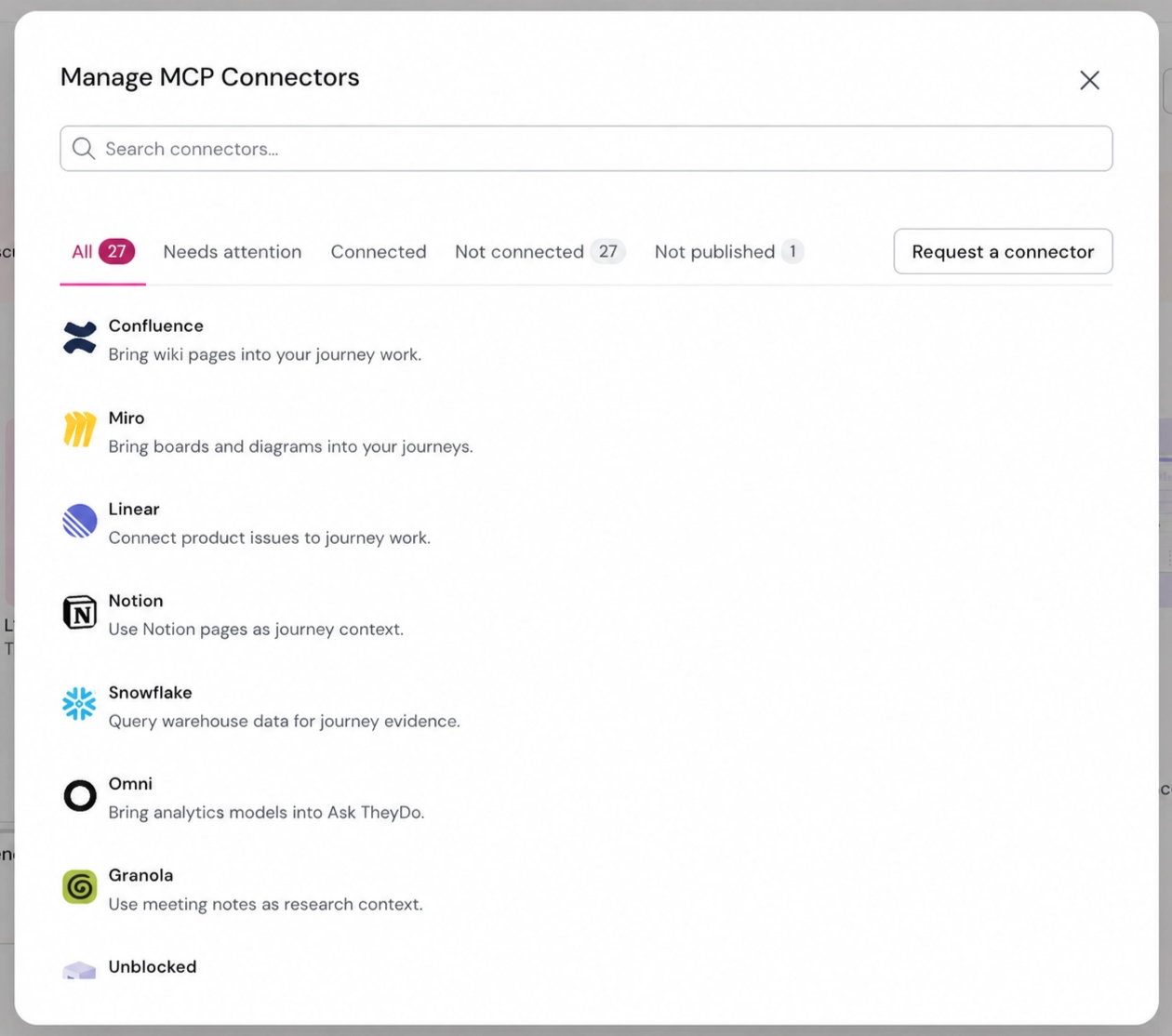
Manage connectors. - In the
Manage MCP Connectorswindow, click theRequest a connectorbutton on the right. - Enter the name of the tool you'd like to connect.
- Describe what you'd like the Agent to do with it, for example "Pull research reports from our SharePoint into the Onboarding journey as Data Sources".
- Add anything we should know about how your organization uses the tool, such as whether it's managed by an IT team.
- Send the request.
You can also ask your CSM to raise the request for you.
What to include
The more concrete the request, the faster we can judge it. The most useful requests tell us:
- The tool and how you use it. "Asana, where our product team tracks delivery" is more useful than "Asana".
- The workflow you have in mind. What should the Agent read from the tool, and where should it land in TheyDo?
- How often you'd use it. A weekly habit tells us more than a one-off import.
- Who would use it. Mention it if teams outside your usual TheyDo users would benefit too.
What happens next
- Your request reaches the TheyDo product team.
- Your CSM gets in touch to understand your use case in more detail.
- We review requests in batches and prioritize based on demand and on whether the tool offers a secure way to connect.
- When a connector you requested becomes available, your CSM lets you know and it appears in your connectors list.
We can't promise every requested tool, or a date. Some tools don't yet offer a secure way for AI agents to connect, and some needs are better served by a full integration that an admin sets up for your whole organization. If that's the case, your CSM will talk you through the options.