What are building blocks?
Building blocks are the reusable records you create in TheyDo to turn what you learn about customers into decisions and work. There are six of them, and everything else in the platform connects through them. This article explains what each one is for, how they relate to each other, and where to start if you are new.
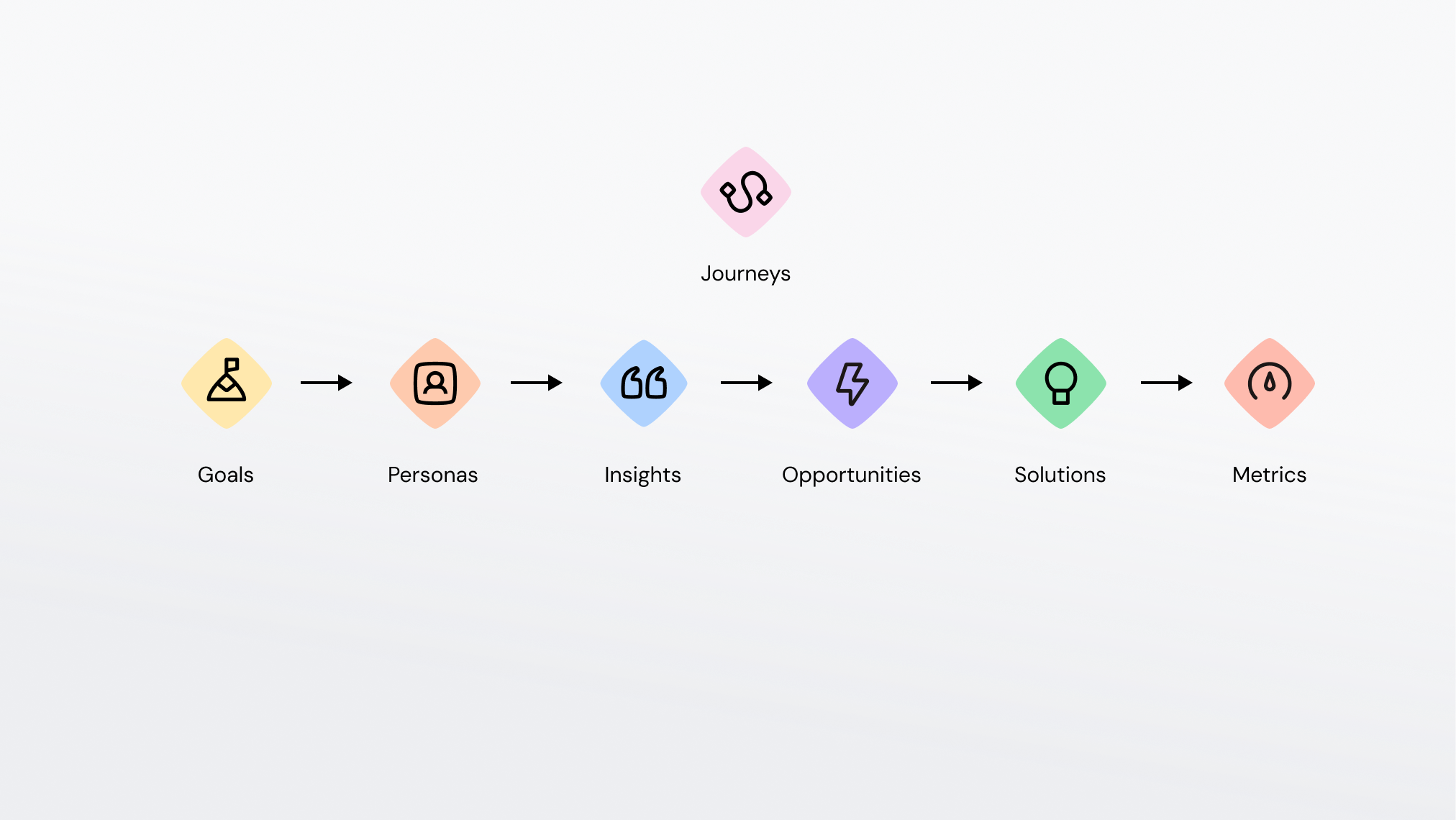
The six building blocks
Each building block answers a different question. Together they take you from evidence to action.
- Goals: what you are aiming for. The outcome target that the opportunities and solutions underneath it roll up to.
- Personas: who the customer is who has the experience. The archetype you use as context across journeys and other building blocks.
- Insights: what is true. A structured record of customer evidence, backed by quotes from your research and feedback data.
- Opportunities: where to improve. A need, problem or improvement area that emerges from a group of insights.
- Solutions: what to change. The initiative, feature, experiment or decision that responds to an opportunity.
- Metrics: how to measure. The KPI you watch to know whether the experience is getting better.
Each of these has its own subsection in this part of the Help Center.
Insights
Insights are bite-sized pieces of interpreted customer knowledge. They can be created by hand, imported from a CSV, mined from your research data by AI, or produced from a journey. Every insight can hold quotes as evidence, and each one carries an AI score you can use to sort and prioritize your library. See How to score an Insight for how scoring works in practice.
Opportunities
Opportunities are where a pattern in your insights becomes something a team can act on. They support parent and child relationships, so a broad opportunity can hold more specific ones underneath it, and they can be linked to goals from either side. Start with What is an opportunity?.
Note: the word "Opportunity" is not fixed. Your organization can configure a different label, for example "Pain Point" or "Contact Reason", and it will appear throughout the interface.
Solutions
Solutions are what you do about an opportunity. They also support parent and child relationships, and their progress rolls up from any linked children. If your team works in Jira or Azure DevOps, linked issues show up directly on the solution. Start with What is a solution?.
Metrics
Metrics let you attach numbers to the experience, so a claim about customer pain can be checked against what your data is doing. A metric can hold several saved chart and timeframe configurations, and can be placed on a journey. Start with What is a metric?.
Goals
Goals are strategic outcome targets. They link to opportunities, solutions and journeys, and their progress is calculated automatically from the statuses of everything linked to them. Start with What is a goal?.
Personas
Personas are the customer archetypes you use to give the rest of your work context: whose journey this is, whose pain this insight describes. Start with What is a persona?.
How they connect inside a journey: building the graph
The point of building blocks is the links between them. Insights group into opportunities, opportunities get answered by solutions, metrics show whether anything changed, goals hold the whole chain to an outcome, and personas say who it is all about.
Four of the six also appear as lanes on the journey canvas: insights, opportunities, solutions and metrics. That is how a building block gets located in the customer experience rather than sitting in a list on its own. Goals and personas do not have their own lane, and connect through explicit links instead.
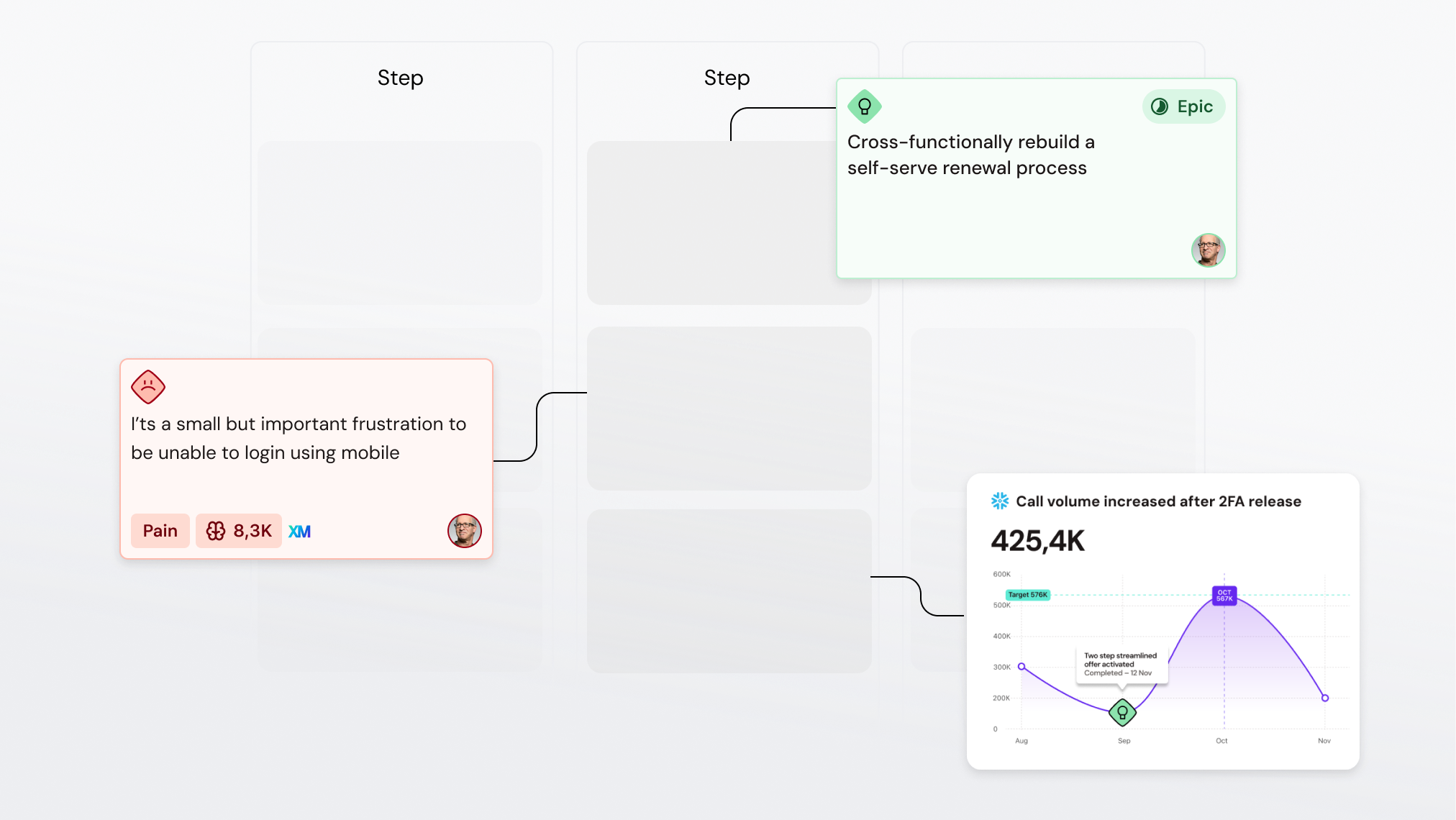
From here, they get an indirect link as they bound to the same step in a particular journey phase. But once the relations are getting shaped, we can start using the building blocks to create direct relations between them.
Key relations in the graph:
- Insights turn into Opportunities: the simplest way to think of an opportunity would be a crossfunctional pattern across journeys. Perhaps reducing billing issues is an opportunity, and there are insights in 3 different journeys that need to be considered.
- Solutions address Opportunities: when we have a roadmap full of solution ideas, tracing them back to opportunities by linking them on the journey creates a direct relationship. This is extremely useful when you want to understand the through-line from raw research input all the way to solution delivery.
- Opportunity-Solution-Goal: when we know which business goal the opportunities are connected to, it’s indrect relations (Metrics, Insights and Solutions) can all be understood as a whole.
Where you work with building blocks
Every building block type works the same way, which means once you have learned one library you have learned them all.
- Open the library from the left sidebar to see every record of that type in the workspace.
- Use search, filters and sorting to narrow the list, then save that configuration as a view if you want it back later.
- Select several records to run a bulk action on them.
- Click a record to open its detail panel, where you edit properties and manage links to other building blocks.
- In table layout you can also change properties straight from the row: hover to see which cells are editable, click one, and pick a value. Owner, persona, status, type, group and tag group properties can be set this way, without opening the record.
- In the property value popover, type the value you want and it surfaces across every property and group, so you do not need to know which group it sits under first.
- Use the download control in the library toolbar to export the current list as a CSV file.
- Instructing Agent to work with certain building blocks by using
/to insert in the context for AI. - In Docs by using the same
/pattern to include them in anything you write or want to share.
Tip: some building block types have creation limits depending on your plan. If you hit one, the interface will tell you what your plan allows.
Where to start
If you are working through this section for the first time, read What is an Insight first. Insights sit in the beginning of the chain, so understanding them makes the other five easier to place.